Case study · White-label LMS
A complete online school, in one platform
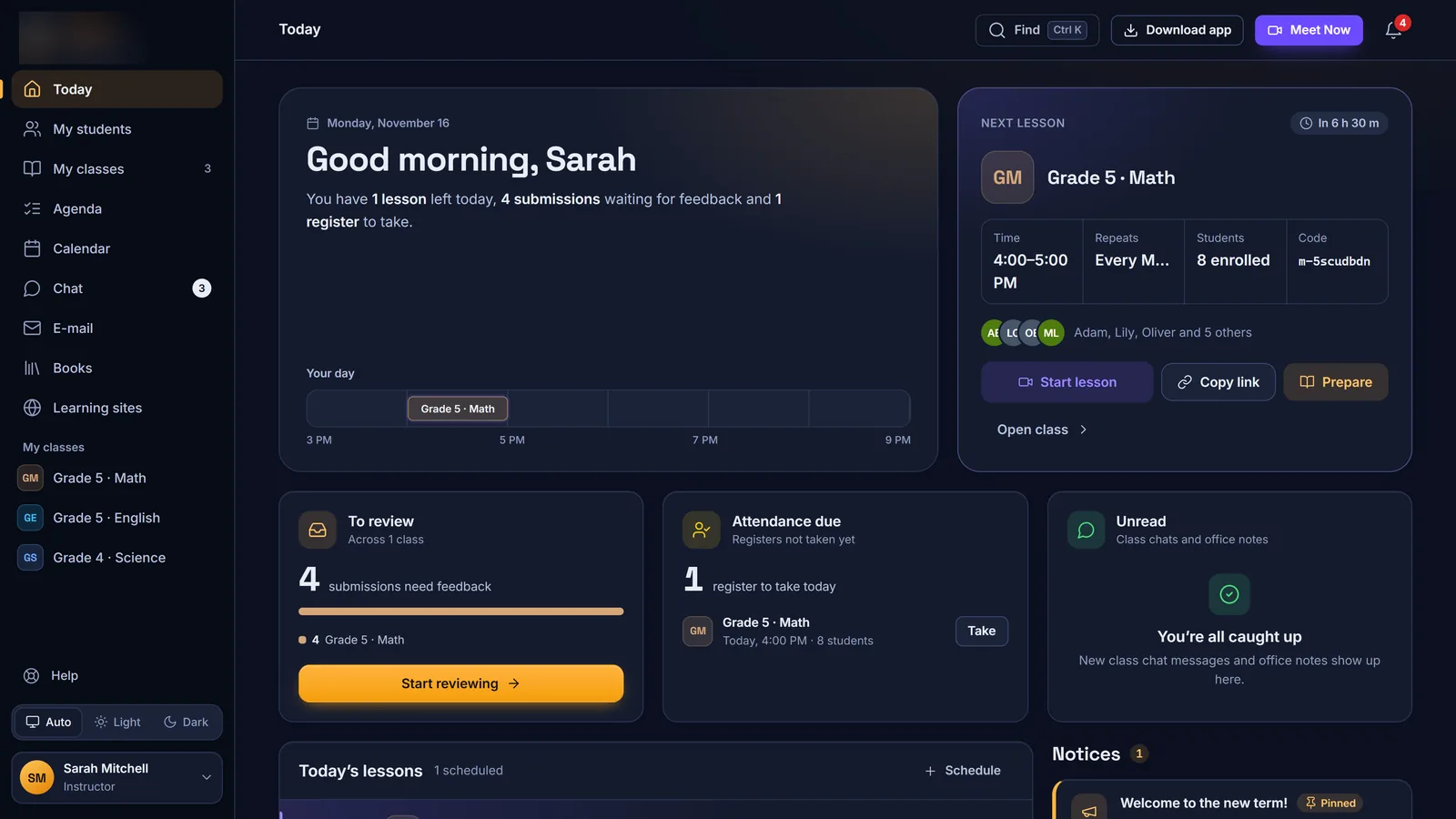
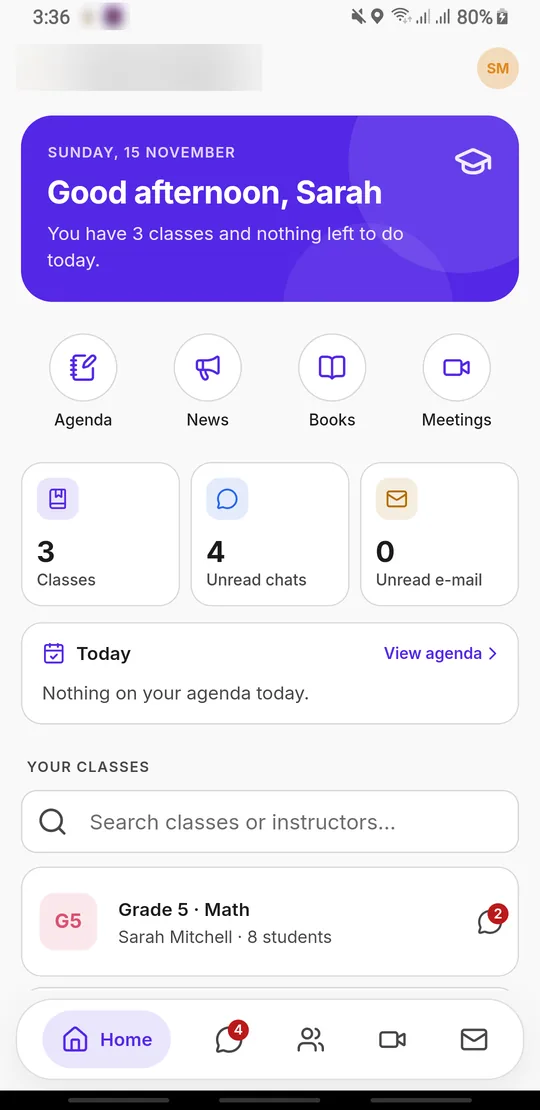
We designed, built and run the learning platform behind iLearn Centers, an online school: classes, homework, attendance, grades, live lessons, chat and school e-mail, on the web and in native apps for Windows, Android and iPhone. We can now deliver the same platform under your school’s name, logo and colours.
- Web app & PWA
- Windows app
- Android & iPhone
- Live classes
- Your brand


- 6user roles, from student to school office
- 4platforms sharing one API
- 36step-by-step guides built in
- Nightlyoff-site backups, checked byte for byte
Who uses it
One platform, six roles
- 🎒
Students
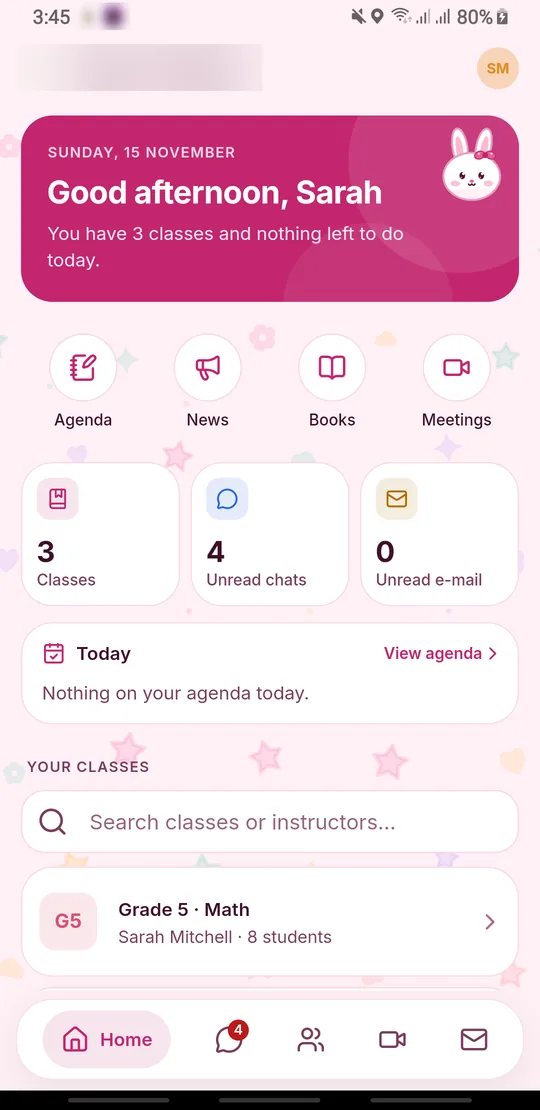
A Today page with lessons and tasks, homework hand-in, an agenda, stars, their own grades and attendance, chat, school e-mail and one-tap join for live classes.
- 🧑🏫
Instructors
Their classes and students, lesson prep, assignments with feedback, roll call, grades, rewards, a Books library, and hosting live classes.
- 🏫
School office
Admins and HR see every class, manage users and families, post announcements, arrange cover and hand-overs, restore from Trash and run the admin console.
- 👪
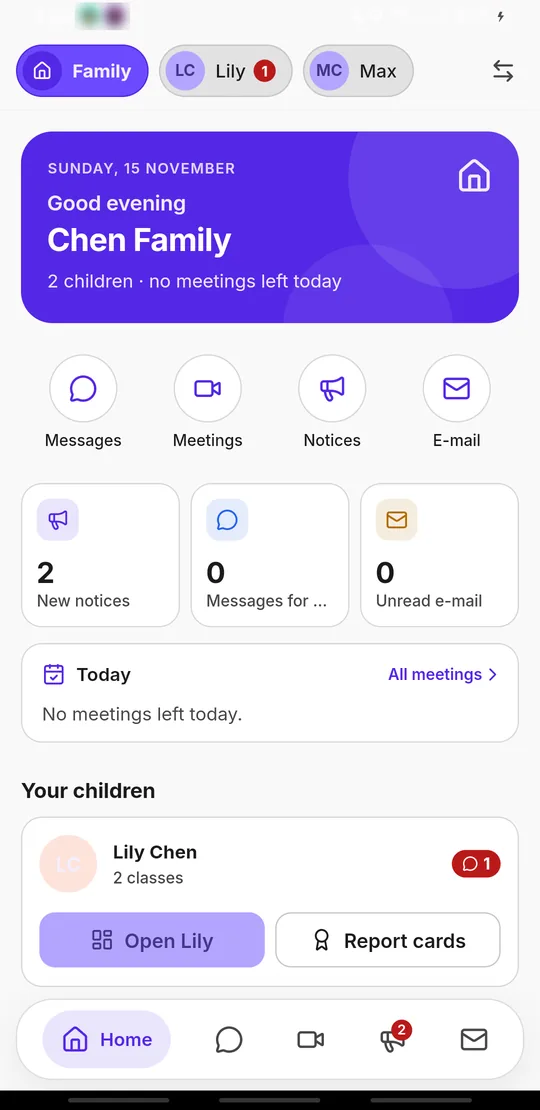
Families
A page per child with classes, notices, report cards and meetings, and the option to join a live class or chat as the child.
- 👀
Viewers
Read-only access to the LMS for supervisors, who can still chat and host meetings. The limits are enforced on the server.
- 🛍️
Marketing
The shop in the admin console, with view-only access to the LMS.
Everything in it
Every feature a school actually uses
Teaching & learning
- 📚
Classes
Overview, sessions, assignments, materials, agenda, attendance, grades, students, meetings, class chat and private office notes, with colour categories and hand-over to another instructor.
- 🗓️
Sessions & lesson prep
Lesson plans, a student part released at a set time, after-class homework, and the recording of each live lesson attached to it.
- 📝
Assignments & feedback
Up to 10 files per hand-in, feedback threads with corrected files, deadline extensions, a fast grader view, “Download all” as a ZIP, and a push to the teacher’s phone on every hand-in.
- ✅
Attendance
Present, late or absent roll call with bulk entry, date filters, edits and CSV export.
- 📊
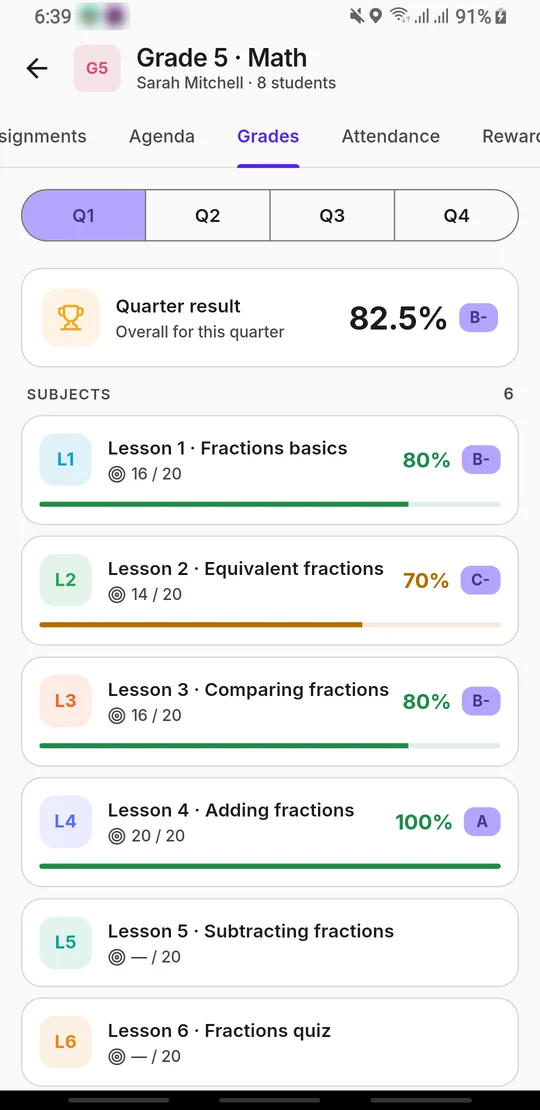
Grades & report cards
A quarterly grid by component with keyboard entry and printing, and a gradebook that produces report-card PDFs and shares them by expiring link or WhatsApp.
- ⭐
Rewards & agenda
Up to five stars, a sticker and a note per student, plus weekly agenda tasks with repeats and a progress ring.
- 📖
Materials & Books Library
Files and links per class, and a shared library of nested folders for PDF, Office, audio, video and image files, with a PDF viewer that supports annotation.
- 🗜️
Smart uploads
Resumable uploads for large files; videos are converted for smooth playback and big PDFs are compressed automatically.
Live classes
- 🎥
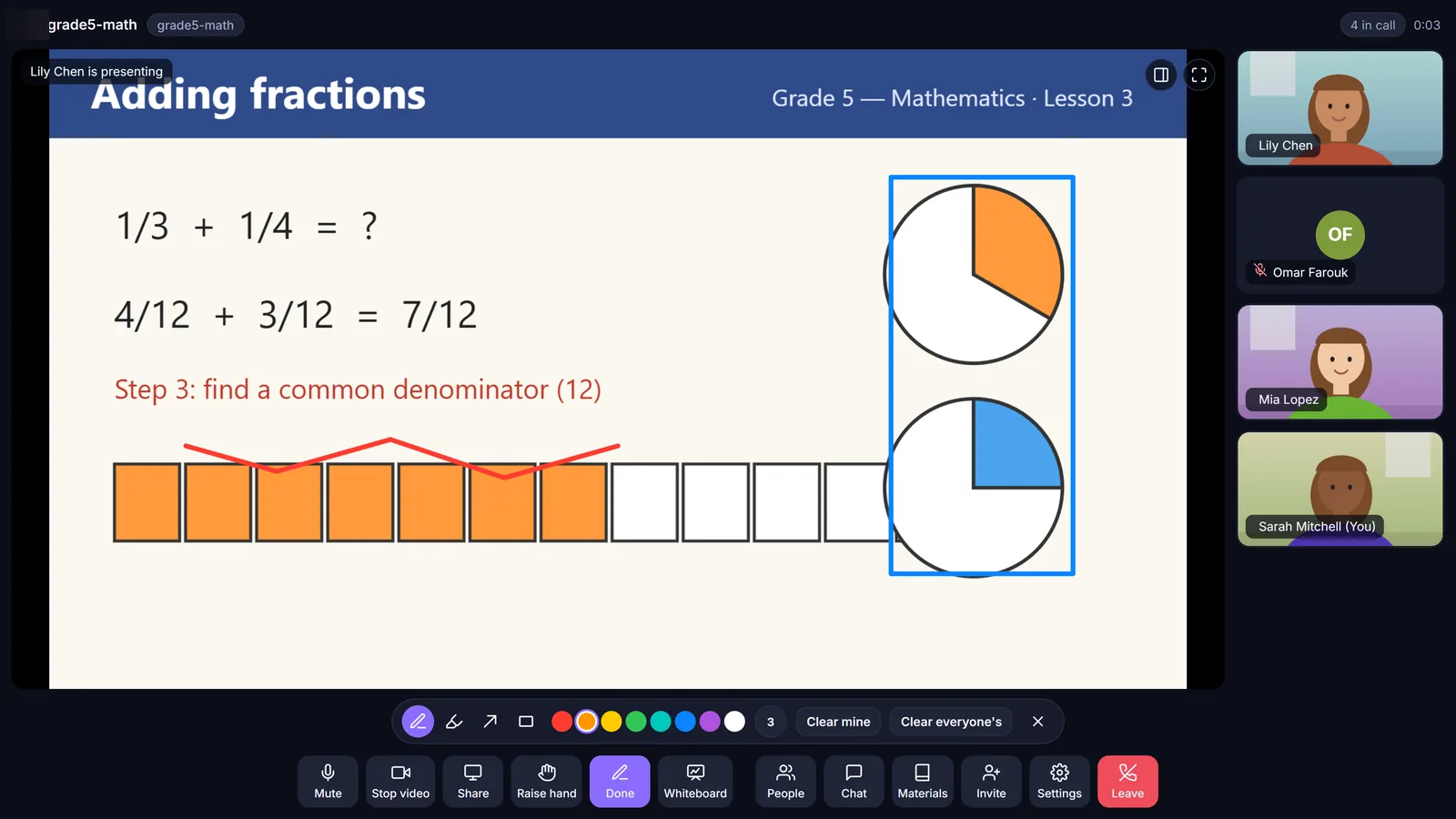
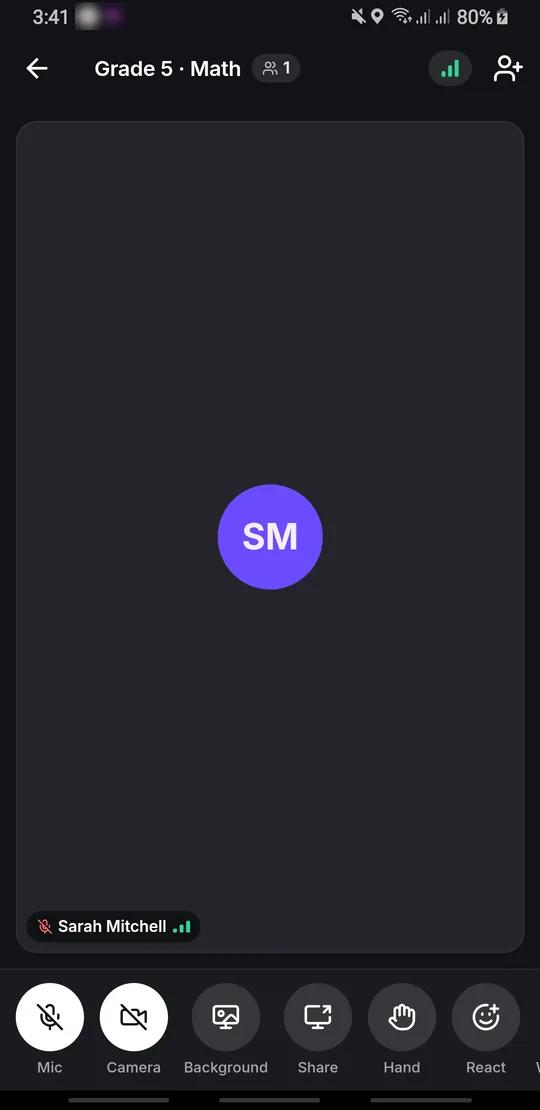
A classroom built in
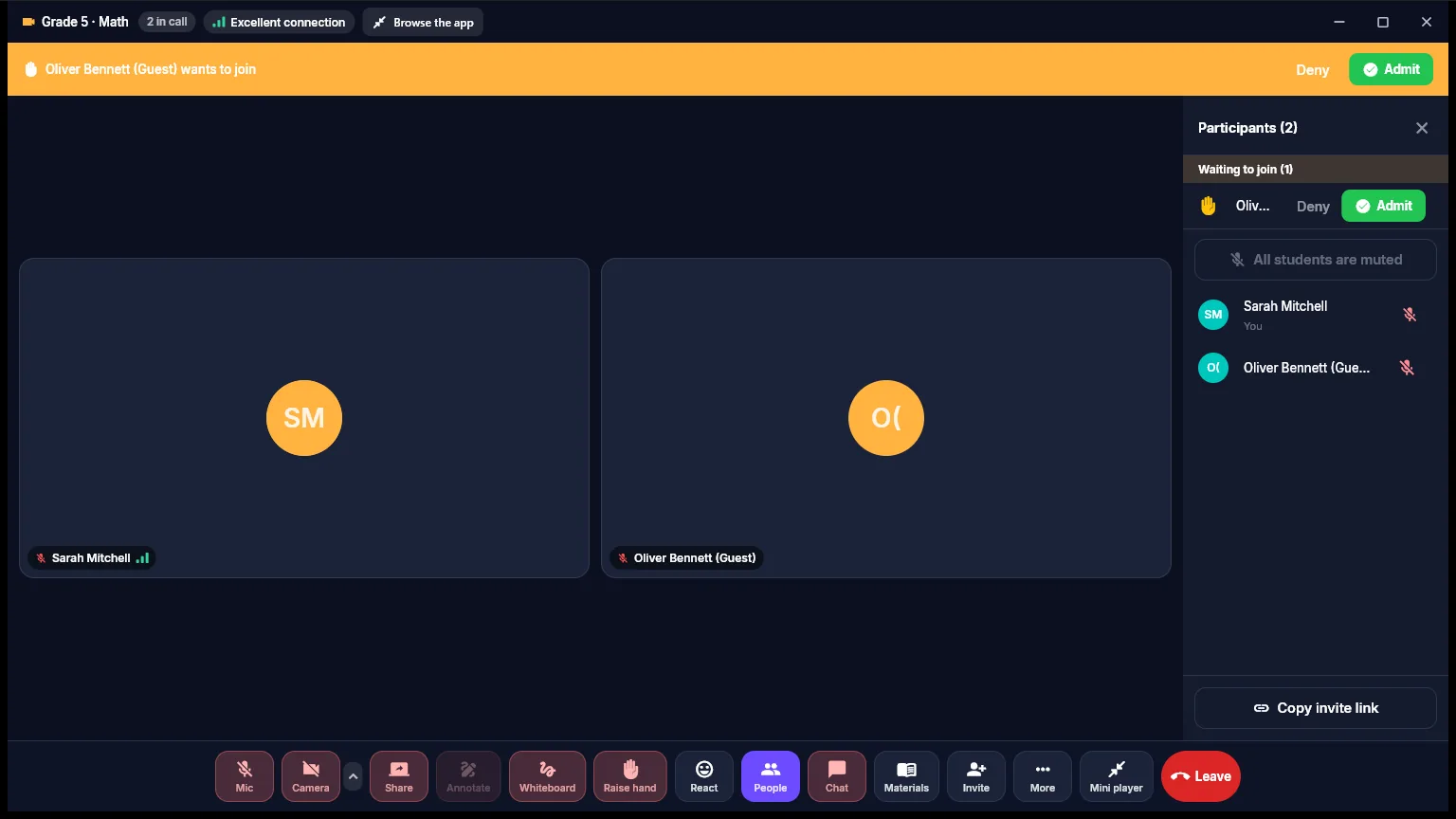
Waiting room with admit and deny, guests by link, mute and mute-all, raised hands, reactions and chat with pictures. No outside video service needed.
- 🖍️
Whiteboard & screen sharing
A shared whiteboard with pages, backgrounds and PDF pages, screen sharing with computer sound, and drawing on top of a shared screen.
- 🖱️
Remote control
Remote control of a teacher’s Windows screen, for live support during a lesson.
- 🎙️
Clear audio & video
Background blur and replacement, noise suppression, presenter picture-in-picture, and one device per user.
- ⏺️
Recordings & schedules
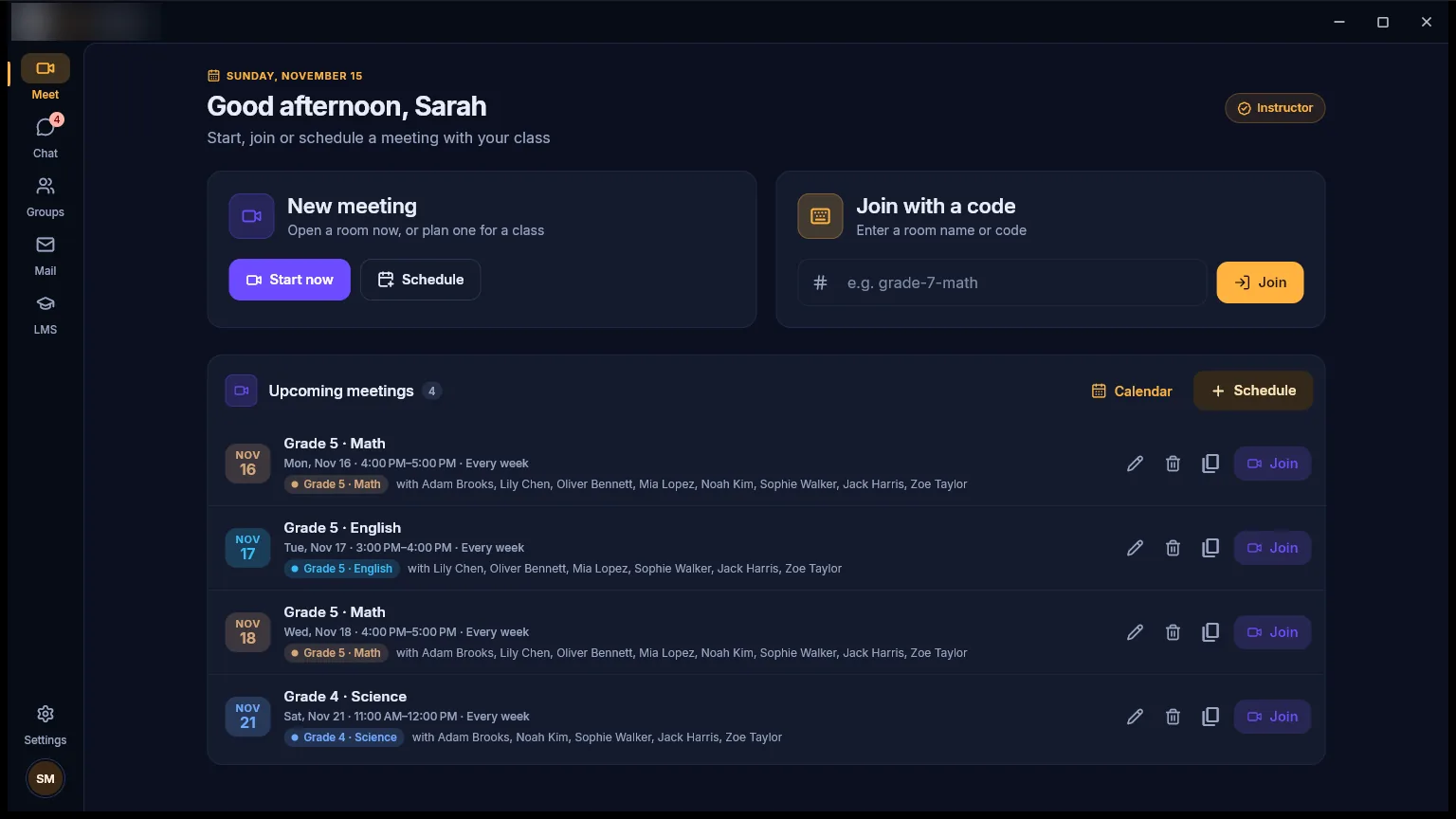
Lessons are recorded to cloud storage with a watch page, and recurring meetings come with invites and a calendar.
Communication
- 💬
Chat & calls
Direct and group chats with voice notes, photos, files and video, replies, reactions, pins, folders and drafts, plus one-to-one voice and video calls.
- 📧
School e-mail
A Gmail-style webmail with a mailbox created automatically for every student and staff account, on the school’s own domains.
- 📣
Announcements
For a class, the staff, the whole school or a chosen audience, with an e-mail copy and read counts.
- 🔔
Notifications
One unread count on the web, browser notifications, Windows notifications and phone push for messages and calls.
Running the school
- 🗂️
Admin console
Users and families, frozen accounts, unlocking sign-ins, Trash with restore, and app versions with a forced-update switch.
- 🧾
Forms & payments
A form builder with 17 field types and public links, and payment requests by Stripe, PayPal, Whish or Western Union.
- 👥
HR & payroll
An applicants pipeline with a skills test, instructor and student onboarding, payroll PDFs, instructor hours, expenses, invoices and profit & loss.
- 📡
Meetings health
A live view of every class in progress, with the option to end a meeting.
Everyday experience
- 🔎
Find anything
Ctrl/⌘ + K searches pages, classes, students and instructors from anywhere.
- 🎨
Themes for every age
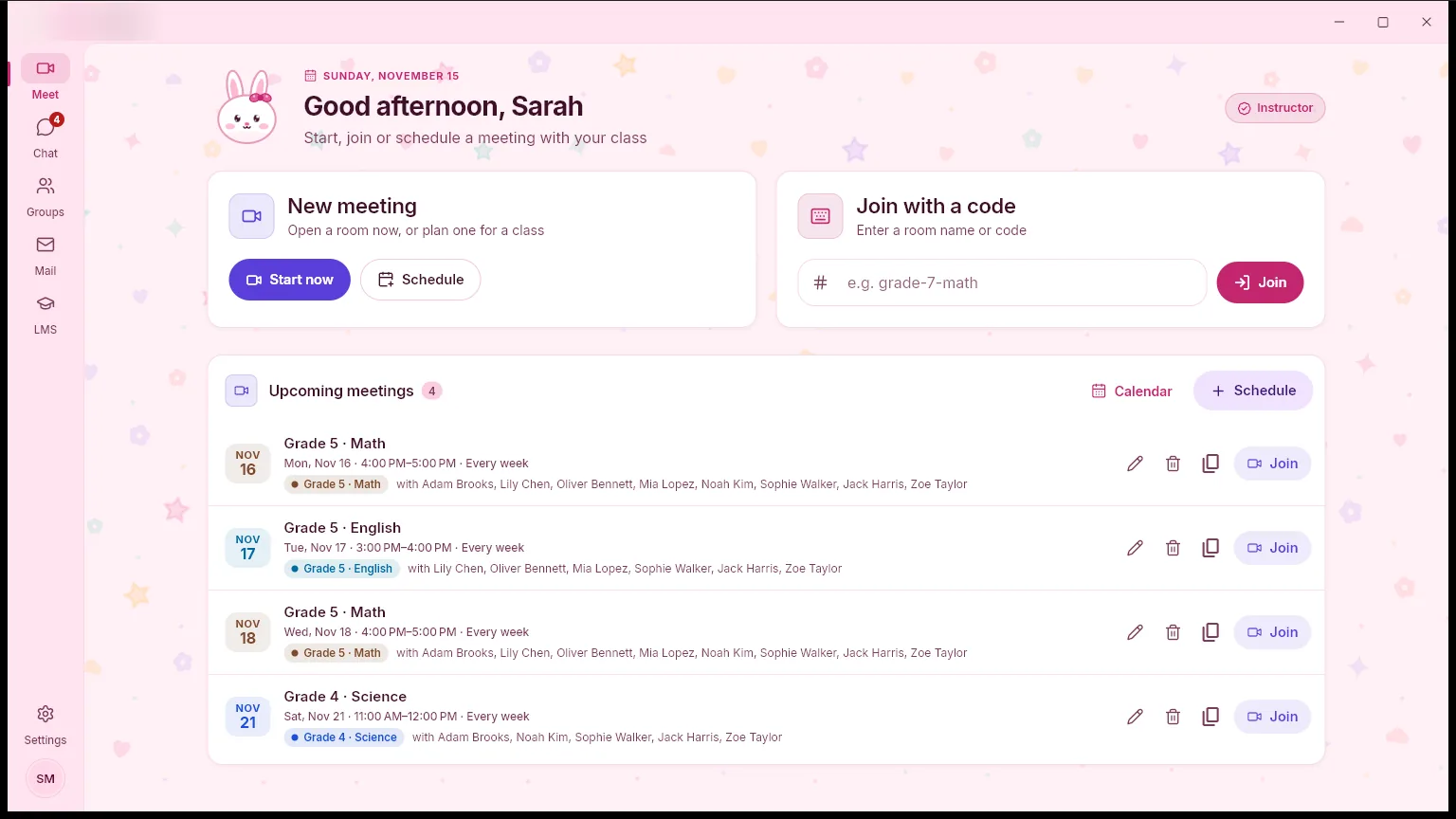
Light, dark and auto on the web; dark, white, purple and orange in the apps, plus pink and blue themes for kids.
- 🌍
Arabic-ready
Anything written in Arabic, from messages to class names, displays right-to-left with a proper Arabic font.
- 📲
Install anywhere
Installable as a web app with shortcuts and an offline page, and saved accounts for one-tap switching on shared devices.
- ❓
Help hub
Protocols, requests, teaching drives, training and 36 step-by-step how-to guides inside the platform.
Screenshots
See it in action
Taken from our demo school. Click any screen to open it full size.
Web app
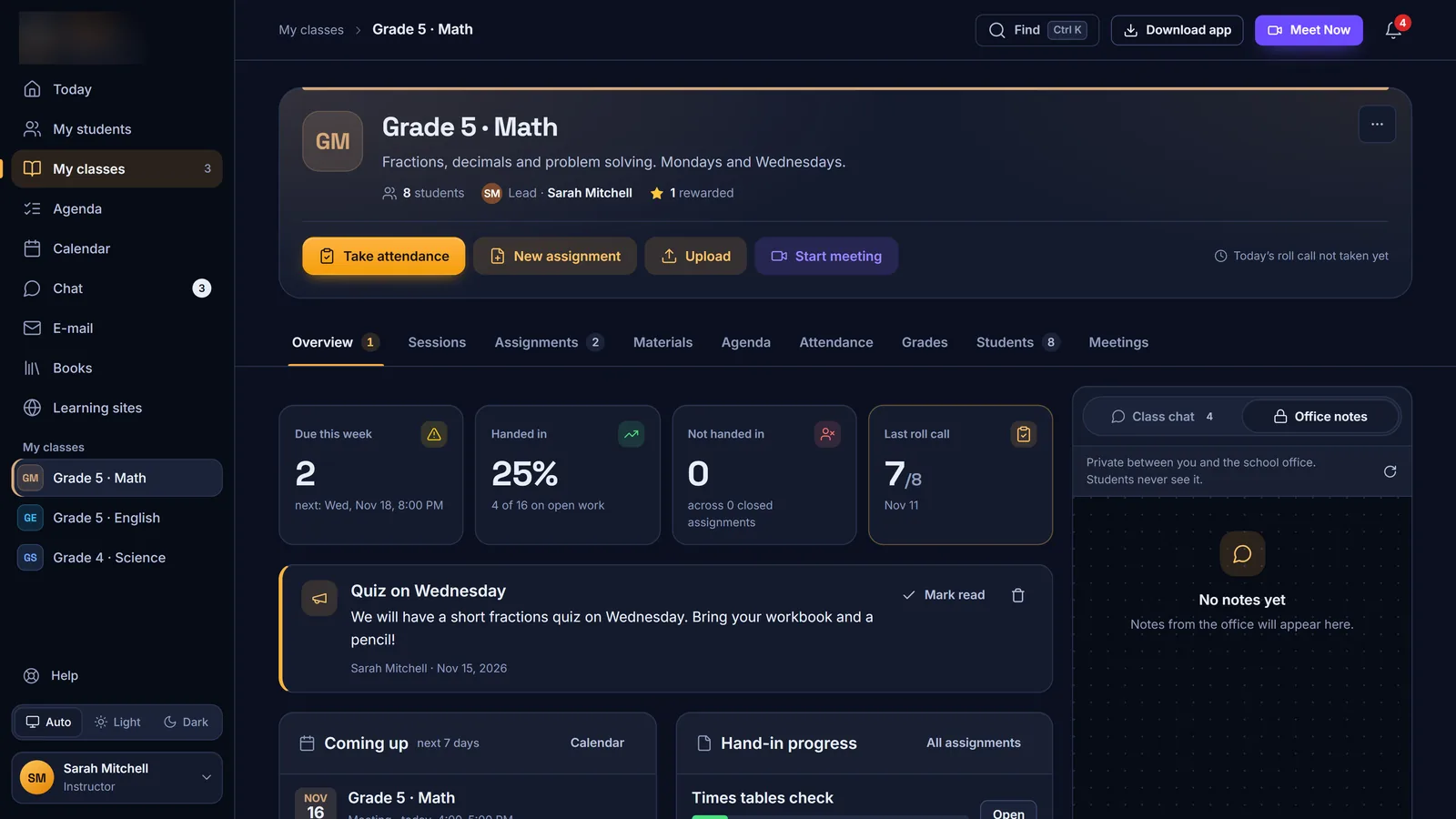
Class page: take attendance, post work and start a meeting in one click 
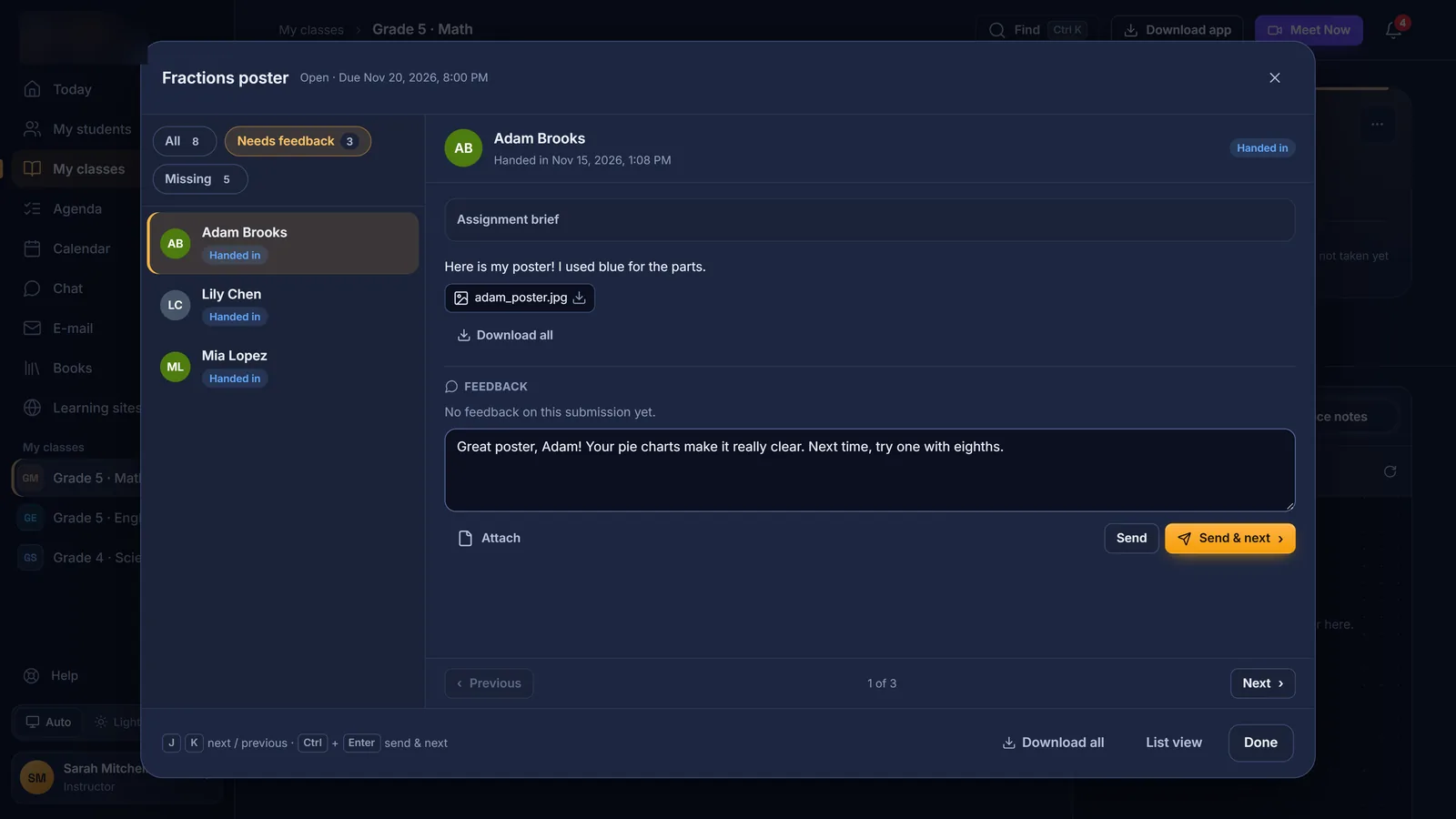
Grader: review each hand-in and send feedback, then move to the next 
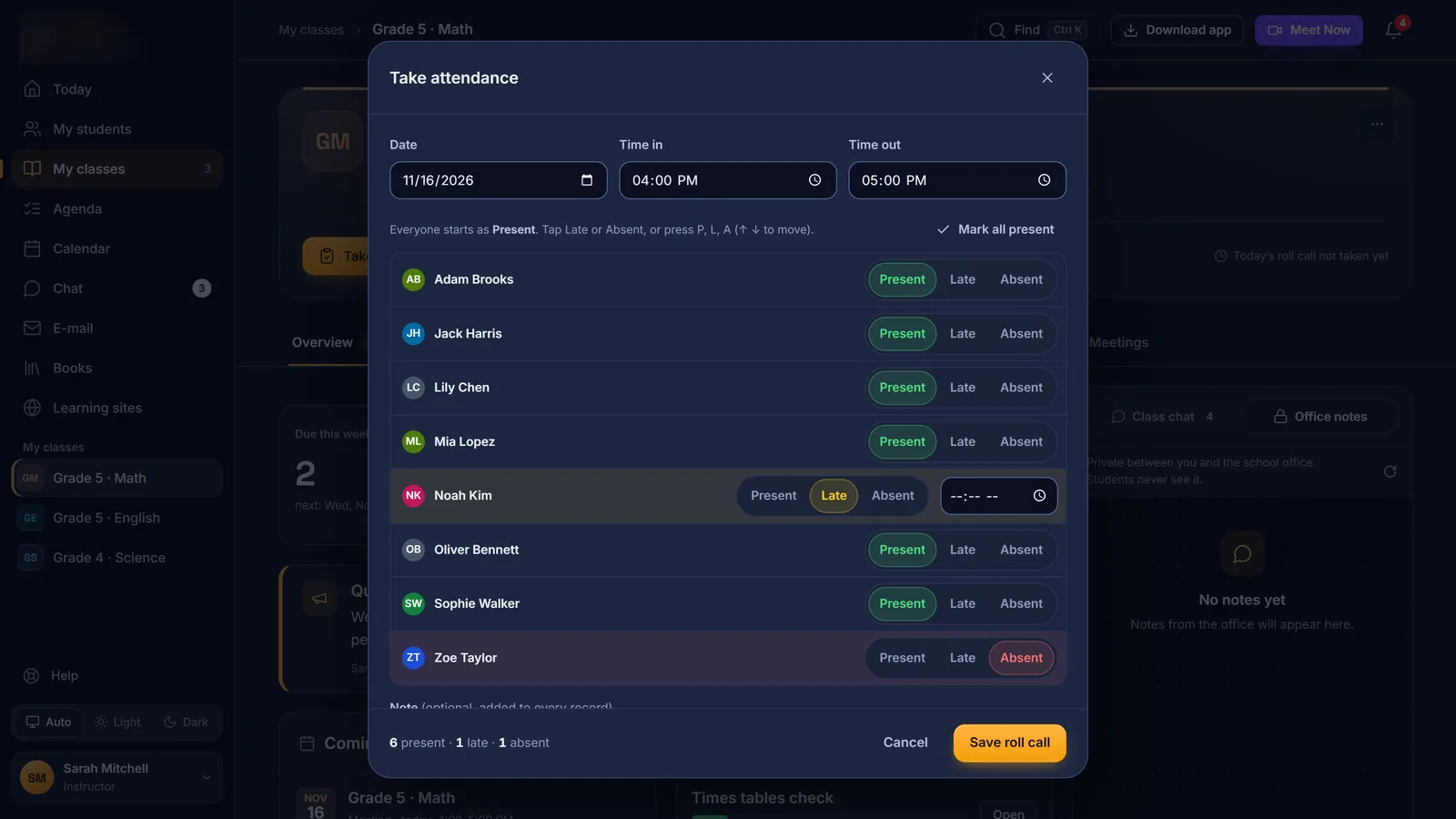
Roll call: present, late or absent for the whole class in seconds 
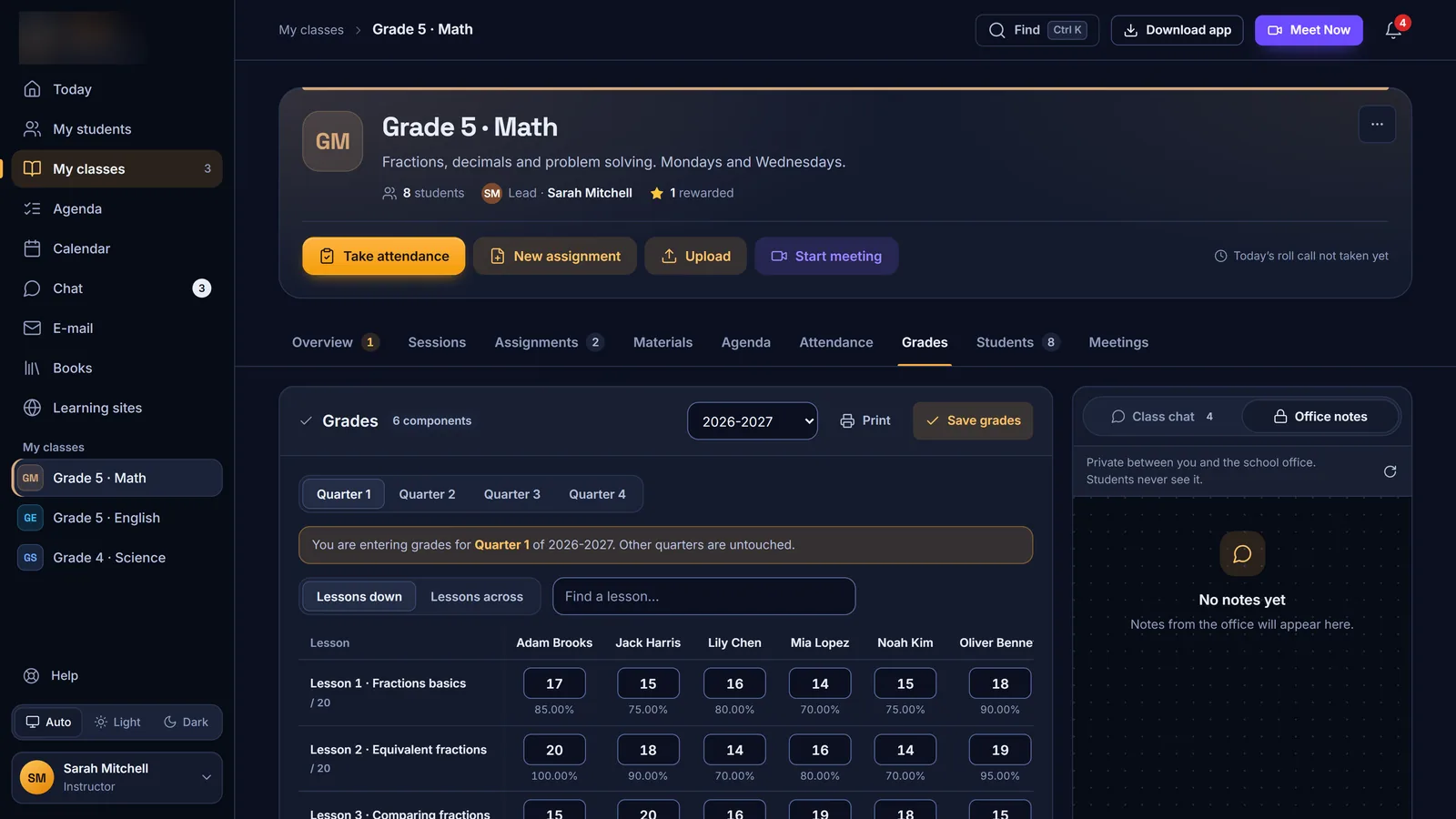
Grades: a quarterly grid with keyboard entry and printing 
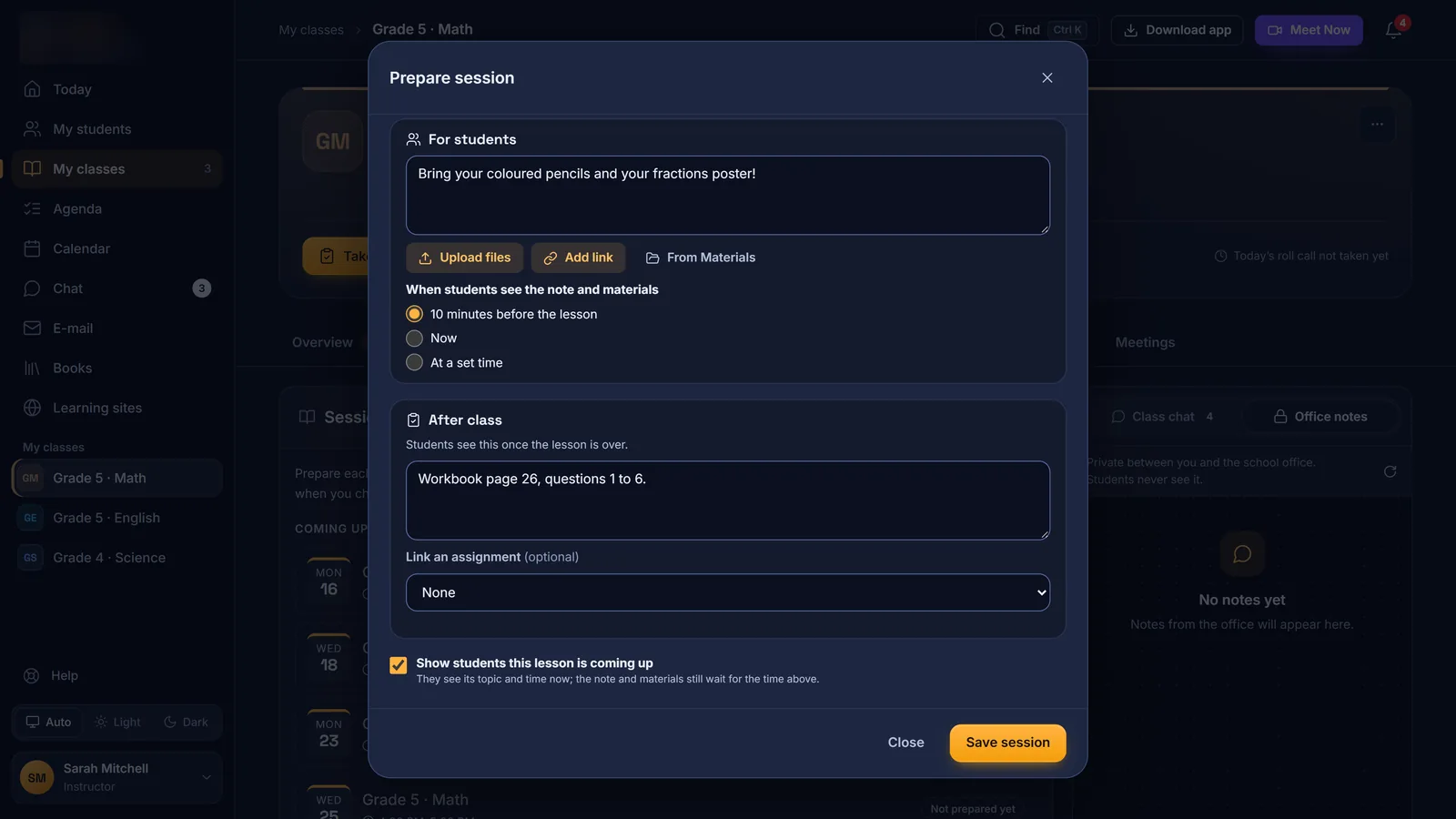
Lesson prep: notes released before class and homework after it 
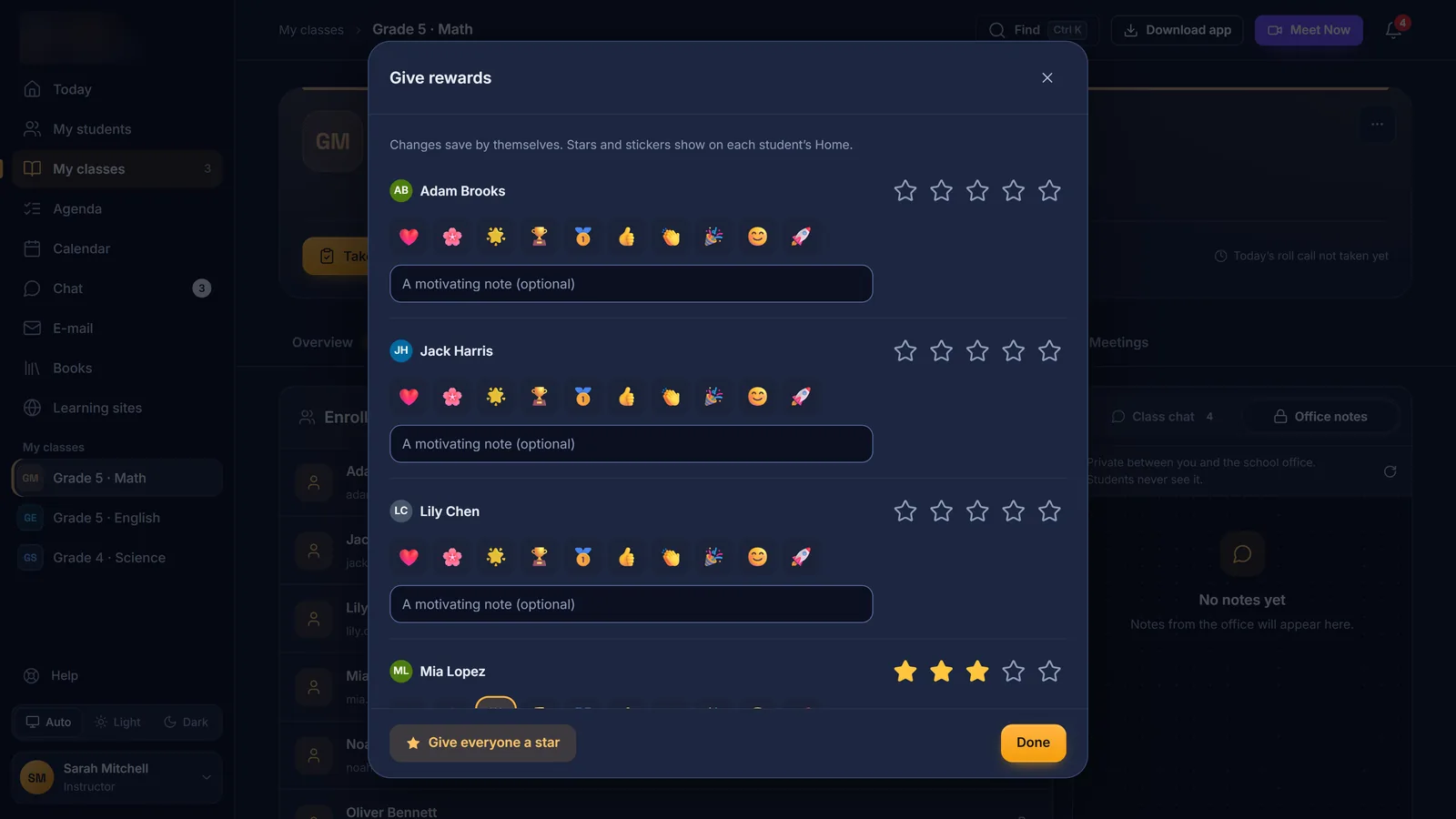
Rewards: stars, stickers and a motivating note per student 
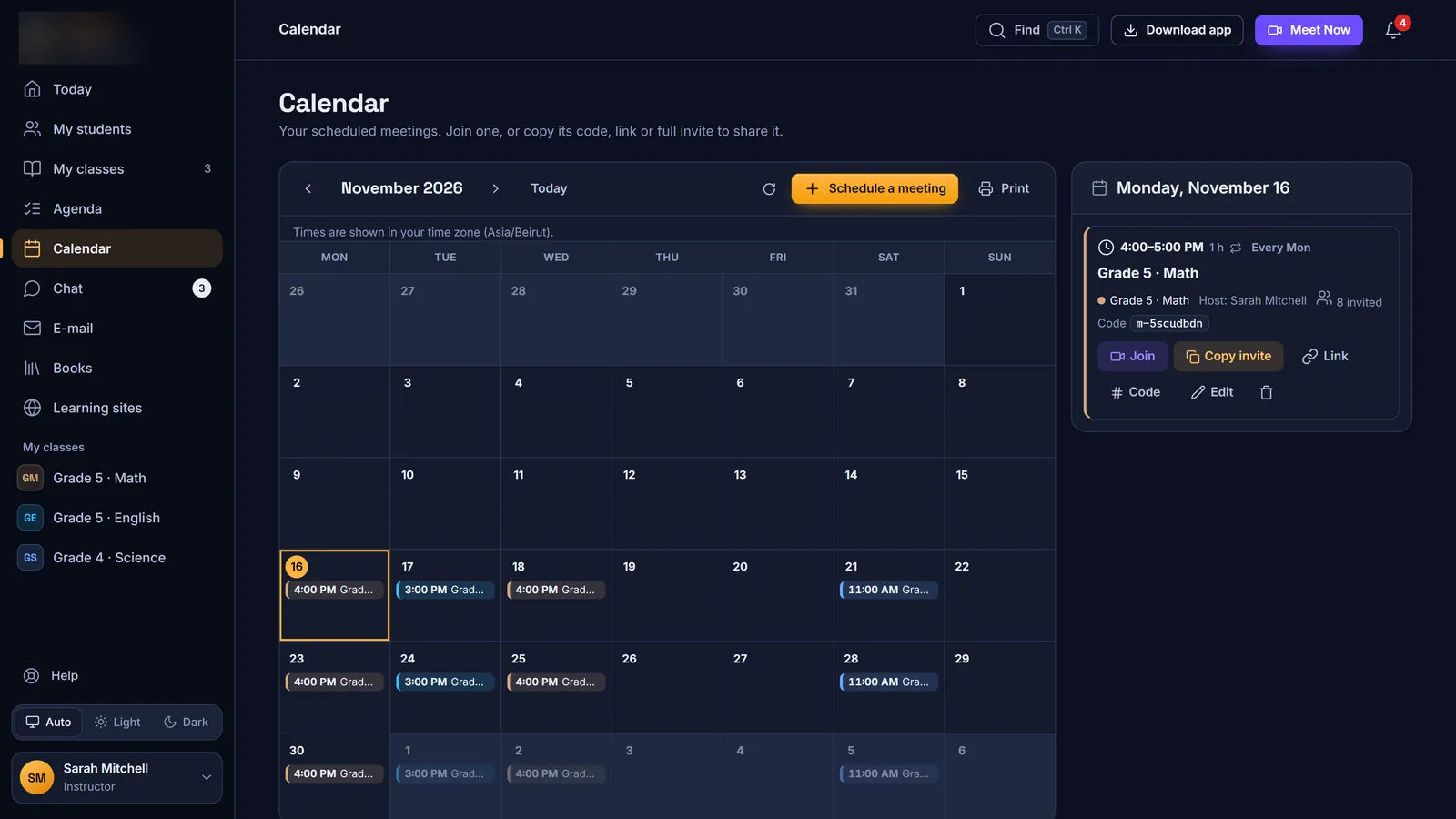
Calendar: every scheduled lesson, with join, code and invite links 
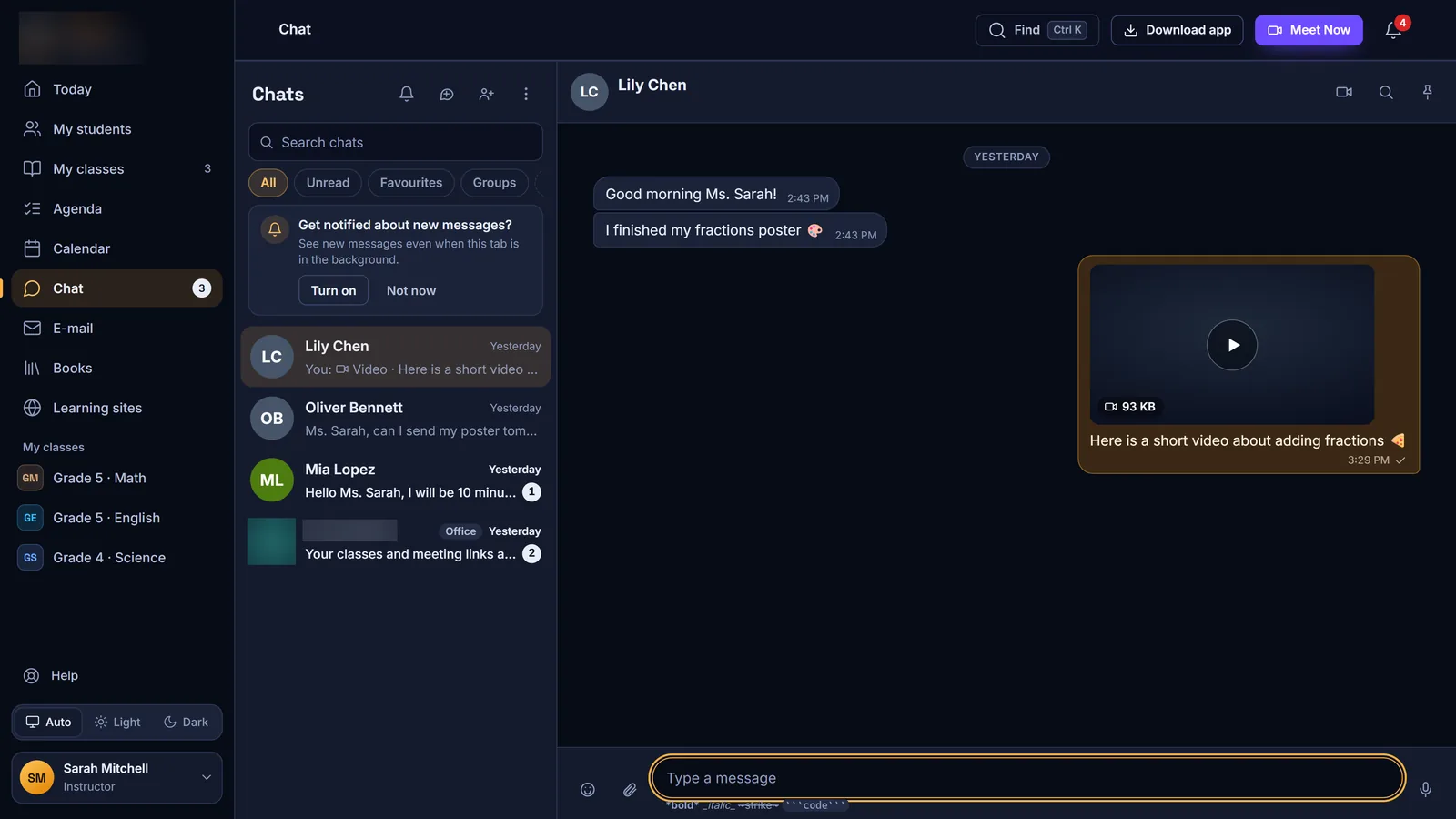
Chat: messages, voice notes, photos and video between students and staff
Live classroom
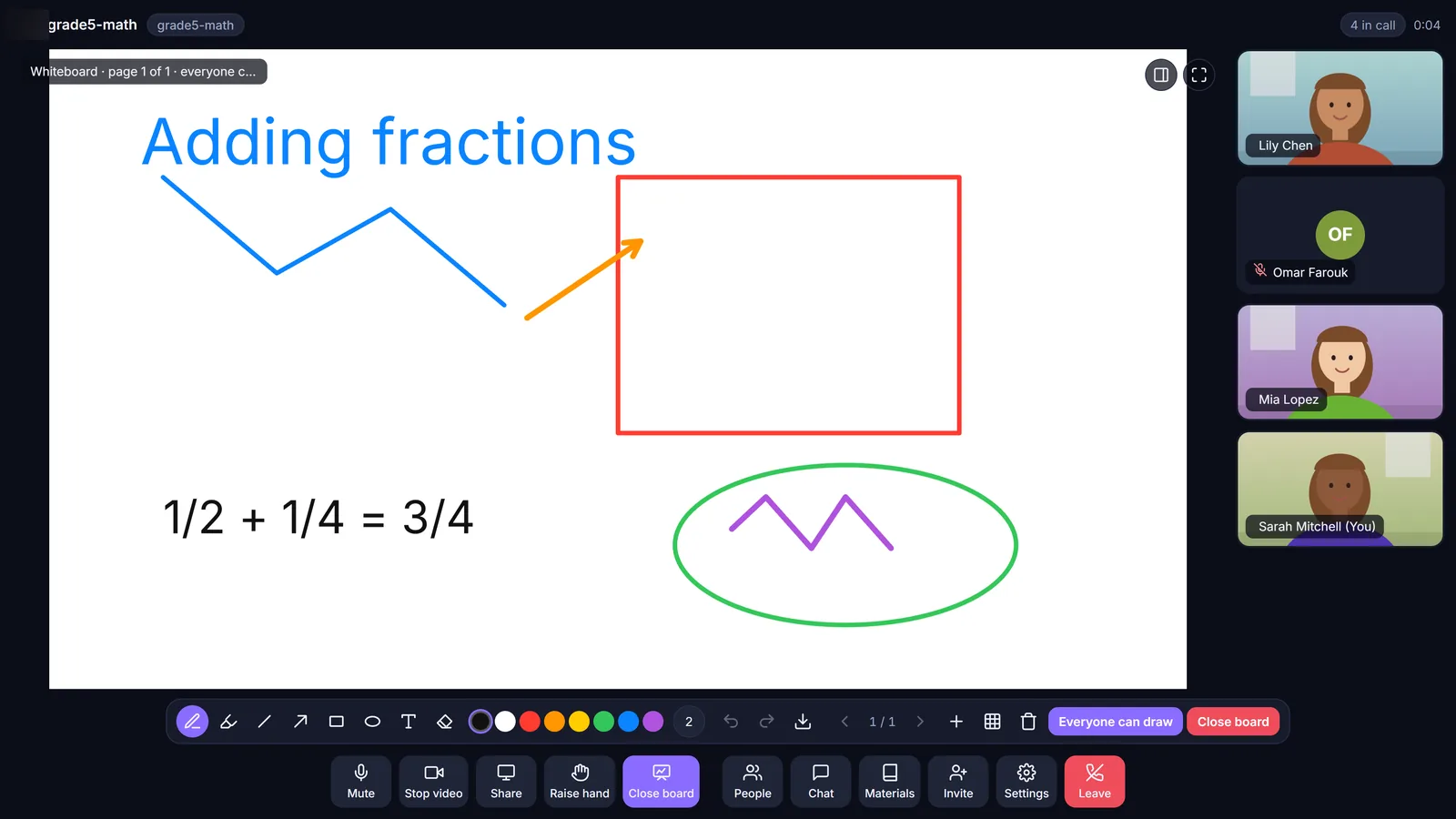
Platforms
On every screen your school uses
- 🌐Any browser
Web app & PWA
The full platform in the browser, installable on computers and phones, with shortcuts and an offline page.
JavaScript · PHP 8 API · MySQL
- 🪟Microsoft Store
Windows app
Native live classes, chat and calls, Windows notifications, remote control and drawing over the desktop, with the LMS and e-mail built in. It updates itself.
Flutter · WebView2 · MSIX
- 📱Google Play · App Store
Android & iPhone
Classes, homework, chat, calls on the phone’s own call screen, push notifications, screen sharing, family mode, offline cache and e-mail.
Flutter · CallKit · Firebase
- 🎥Browser
Meeting client
Join a live class from any browser, guests included, with background effects and noise suppression.
LiveKit · WebRTC
- 🧩Web
School office sites
Admin console, gradebook and report cards, student and instructor onboarding, a careers page and payment pages, all with single sign-on.
PHP · signed SSO
- 📝Web
Public forms
Forms built in the admin console and shared by link with parents and applicants.
17 field types
White label
Your school, your brand
We set up a dedicated copy of the platform for your school, with its own servers, database and apps, all carrying your name. Students and parents only ever see your brand.
- Your name, logo and colours across the web app and every native app
- Your own domain and school e-mail addresses
- Apps published under your name on the Microsoft Store, Google Play and the App Store
- Report cards with your logo, director and contact details
- Branded meeting backgrounds and themes, including kids’ themes
- Your data kept apart, on your own database, storage and backups


How we deliver it
From demo to launch day
- 1
Demo & scope
We walk you through the platform and agree on the roles, features and platforms your school needs.
- 2
Your brand
Send us your logo, colours and domain. We re-brand the web app, the native apps and the e-mails.
- 3
Set-up & apps
We set up your servers, mailboxes and storage, create your accounts and publish your apps.
- 4
Training & support
Your team gets the built-in how-to guides, video tutorials and our support after launch.
Security & reliability
Built to protect students’ data
- Passwords hashed with bcrypt; app sign-ins stored only as one-way hashes
- Every request re-checks the session, with lockout after repeated failed sign-ins
- Single sign-on links that are signed, work once and expire after 90 seconds
- Strict security headers (CSP, HSTS) and prepared database queries throughout
- E-mails and files opened in a sandbox; protected book pages served as signed, expiring images
- A separate media server for live classes, with recordings kept on cloud storage
- Nightly off-site backups, checked byte for byte
- Two security reviews in October 2026, followed by hardening releases
FAQ
Questions about the school LMS
Can the platform carry our school’s name and logo?
Yes. We deliver a dedicated copy for your school with your name, logo, colours, domain and e-mail addresses, on the web app and in the Windows, Android and iPhone apps.
Is our data shared with other schools?
No. Each school gets its own servers, database, storage and backups.
Which devices does it work on?
Any modern browser on computers, tablets and phones, plus native apps for Windows, Android and iPhone. Students can join a live class from the browser without installing anything.
Can parents follow their children?
Yes. Family accounts get a page per child with classes, notices, report cards and meetings, and can switch between children in one tap.
Does it support Arabic?
The interface is in English, and anything written in Arabic, from messages to class names, displays right-to-left with a proper Arabic font. Talk to us if your school needs an Arabic interface.
Do we need a separate video-call service?
No. Live classes run on the platform’s own meeting server, with recording, whiteboard and screen sharing included.
How much does it cost?
It depends on the number of students, the platforms and the modules you need. Book a demo and we will send you a quote.
Book a demo
See it running for your school
Message us on Telegram and we will show you the platform live, from a student’s Today page to the school office.